
Chat Service
Chat Service
Arc Chat Service (api.melodyarc.com) is the messaging backbone of MelodyArc. It stores and routes chat messages, powers the real-time chat experience inside the Portal — known as the Conversation Portal Website (CPW) — and exposes a REST API that external developers can use to build on MelodyArc without needing expert points or the portal.
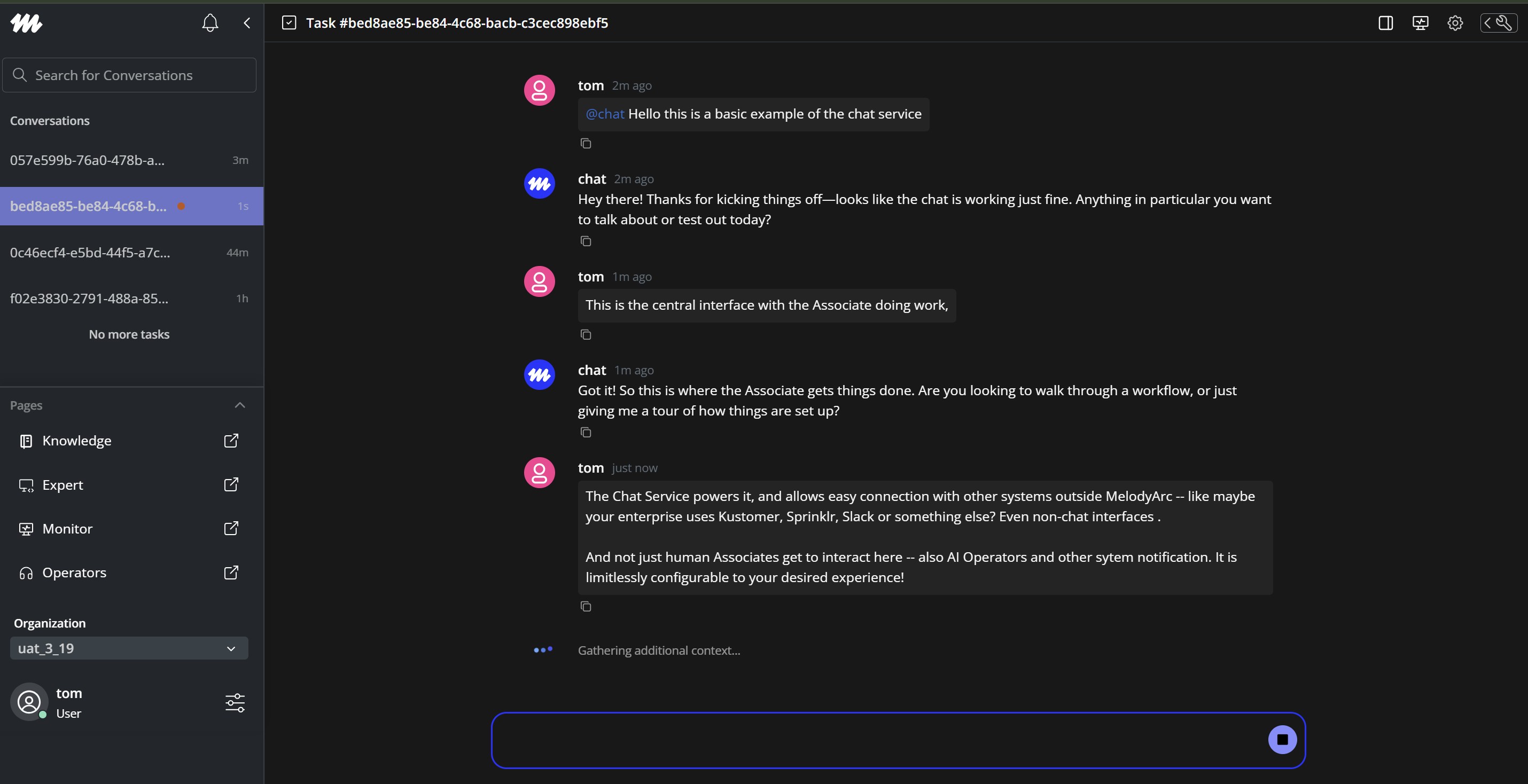
How It Works
When an associate opens a conversation in CPW, the following happens:
- Authentication — CPW calls the
portal_op_mcs_authexpert point to exchange an org-scoped API key for a short-lived Chat JWT (10-minute TTL). This token scopes all subsequent chat requests to the org and integration. - Message hydration — MACIE (see below) fetches the conversation's existing messages from
GET /conversations/controller/{conversation_id}/messagesand renders them in the chat thread. - Sending a message — When an associate sends a message, MACIE posts it to
POST /conversations/controller/{conversation_id}/messages. The Chat Service stores the message and forwards it to the MelodyArc orchestrator for processing. - Receiving messages — After storing each message, the Chat Service publishes a
conversation_messageevent to the Agent State Manager (ASM) over Redis. ASM delivers it to the associate's browser over WebSocket, and MACIE renders it in real time.
MACIE (MelodyArc Chat Integration Experience)
MACIE is the chat layer inside CPW. It connects the Portal's WebSocket connection to a @melodyarc/macie-ui embeddable widget, handling everything between the associate's browser and the Chat Service.
MACIE is composed of four layers:
| Layer | What it does |
|---|---|
| AsmSocketProvider | Manages the WebSocket connection to ASM. Subscribes to conversation_assigned, conversation_updated, conversation_unassigned, and hydration events and keeps the left nav in sync. |
| Socket Normalizer | Filters the raw ASM event stream down to two types relevant to chat: conversation_message (source: chat) and component_event (source: aea). Deduplicates by message ID. |
| Host Adapter | Bridges CPW's data sources to the macie-ui widget. Buffers incoming realtime deltas for 200 ms to reorder them by timestamp before flushing. Handles hydrate, backfill, and send requests from the widget. |
| Window Bridge | Communicates with the macie-ui embedded widget via custom browser events. Passes hydration responses, backfill responses, realtime messages, and component events in both directions. |
Real-Time Event Delivery
Real-time message delivery is handled by the Agent State Manager (ASM), which lives in the Live Conversation Service. ASM maintains a persistent WebSocket connection to each associate's browser and is responsible for delivering chat events as they happen.
When the Chat Service stores a message, it publishes to a Redis channel scoped to the org and associate:
asm:{orgId}:agent:{agentId}ASM picks up the event and delivers it to the associate's open WebSocket connection. Three event types flow through this channel:
| Event type | When it fires |
|---|---|
conversation_message | Every time a message is stored |
conversation_updated | When an existing conversation record changes |
conversation_unassigned | When a conversation is removed from an associate |
All events share a common envelope:
{
  "type": "conversation_message",
  "source": "chat",
  "schema_ver": "events/1.0.0",
  "at": 1762178862817,
  "orgId": "acme-corp",
  "userId": "operator-alice",
  "data": { }
}
Using the Chat API
The Chat Service REST API is the primary way to build on MelodyArc without using expert points or the Portal. External developers can use it to create conversations, send and receive messages, and manage operators programmatically.
Base URL: https://api.melodyarc.com
Authentication
All write operations require a Chat JWT. To obtain one:
- Call
POST /auth/generateTokenwith your org-scoped API key (requireswrite:generate-chat-tokenscope). - Pass the returned JWT as a Bearer token on subsequent requests.
- JWTs expire after 10 minutes — request a new one as needed.
Every request must include your org ID header:
x-melodyarc-organization-id: <your-org-id>Core Endpoints
Start a conversation
POST /conversations/controller
Authorization: Bearer <Chat JWT>
x-melodyarc-organization-id: <org-id>

{
  "sender_id": "user-123",
  "content": "Hello, I need help with my order."
}
The service generates a conversation_id and forwards the message to the MelodyArc orchestrator.
Send a message to an existing conversation
POST /conversations/controller/{conversation_id}/messages
Authorization: Bearer <Chat JWT>
x-melodyarc-organization-id: <org-id>

{
  "sender_id": "user-123",
  "content": "Any update on my request?"
}
Supports @mentions to address specific operators. Rate limited to 20 messages per minute per conversation.
Retrieve messages
GET /conversations/controller/{conversation_id}/messages?page=1&limit=20
Authorization: Bearer <Chat JWT>
x-melodyarc-organization-id: <org-id>
Returns messages in reverse-chronological order.
API Scopes
| Scope | Purpose |
|---|---|
write:generate-chat-token | Issue Chat JWTs |
write:chat-events | Attach events to messages |
write:chat-metadata | Attach metadata to messages |
read:conversation | Read conversation data |
write:conversation | Create and update conversations |
read:operator | Read operator info |
write:operator | Create, update, and delete operators |
Updated 2 months ago